Most teams still use AI in a fragile way. Someone opens ChatGPT, Claude, or a coding assistant, pastes a task, gets a decent answer, and then starts over the next day because the context is gone. That works for one-off prompts, but it breaks down when a project stretches across weeks, when multiple people need to reuse the same AI workflow, or when the output has to follow a repeatable standard. CRAFT Framework exists to address that gap. Rather than introducing a new model, it introduces structure around model usage: project variables, recipes, comments, personas, and handoff files that preserve continuity between sessions. Based on the public GitHub repository, official documentation, and related explanatory materials, CRAFT is best understood as a framework for turning AI conversations into durable operating systems for ongoing work. That makes it relevant not just to developers, but also to content teams, operators, and consultants who rely on AI repeatedly and need more than a clever prompt. In 2026, as AI tools increasingly become part of daily production workflows, CRAFT is interesting because it focuses on the layer many teams still lack: process discipline.
What is CRAFT Framework and why are people paying attention?
CRAFT Framework is a structured AI workflow layer that converts scattered prompts into reusable project systems. Instead of treating each conversation as disposable, it gives teams a way to preserve variables, working rules, personas, and handoffs, which is why it stands out among newer AI workflow approaches in 2026.
CRAFT Framework stands for Configurable Reusable AI Framework Technology. It is not a model vendor or chat app. It is a file-based method for organizing repeatable AI collaboration around context, continuity, and modular workflows.
According to the public CRAFTFramework/craft-framework repository, the project positions itself around session continuity, multi-persona collaboration, and structured AI workflows for Claude Cowork and related AI environments. The official Why We’re Building CRAFTFramework.ai article frames the same idea more broadly: AI work becomes more reliable when treated like software structure rather than isolated chats.
That framing matters because it addresses a practical bottleneck. Most teams do not fail with AI because the model is too weak. They fail because:
| Problem | What happens in typical AI use | What CRAFT tries to fix |
|---|---|---|
| Lost context | Project background must be re-explained in every new session | Persistent project and handoff files |
| Inconsistent output | Results vary with each user prompt | Reusable recipes and persona structures |
| Weak collaboration | One person’s prompt workflow is hard to transfer | Shared file conventions and operating rules |
| Poor traceability | Decisions disappear into chat history | Structured handoff and progress tracking |
In that sense, CRAFT is less about “better prompting” and more about workflow standardization.
How is CRAFT Framework structured inside the GitHub repository?
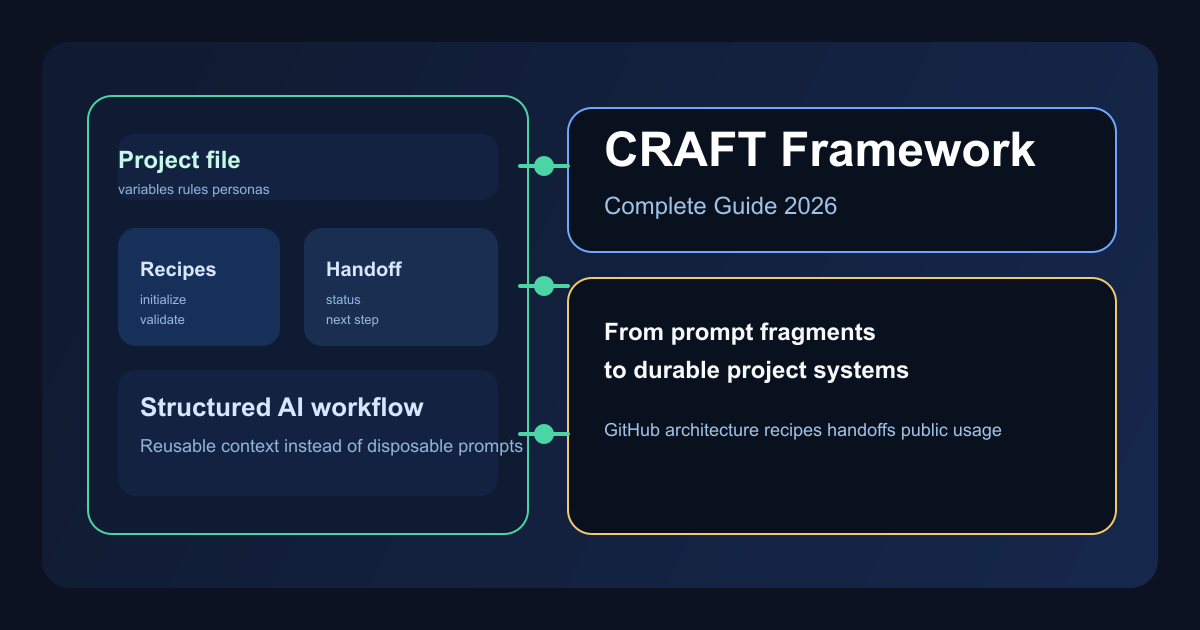
The repository shows that CRAFT is built around files, not slogans. Its public spec, cookbook index, and project templates reveal a repeatable operating model: one set of files stores project rules, another preserves continuity, and another packages reusable workflows as recipes.
The most useful public architecture clues come from the repository itself and the raw framework specification files. The CRAFT Framework specification and the Beginner’s Guide both describe a system built around a small number of durable project artifacts:
| Core file layer | Role in the system | Why it matters |
|---|---|---|
| Project implementation file | Stores variables, rules, personas, and custom instructions | Keeps long-term project context stable |
| Conversation continuity file | Stores handoffs, status, decisions, and next steps | Lets the next AI session resume instead of restart |
| Framework specification | Defines the framework’s mechanics and conventions | Standardizes how CRAFT behaves |
| Cookbooks and recipes | Stores reusable operating workflows | Turns repeated tasks into callable modules |
The Beginner’s Guide emphasizes a simple but powerful idea: every session can end with a handoff file summarizing what was completed, what decisions were made, what remains unresolved, and what should happen next. That means the next session starts with state, not guesswork.
flowchart TD
    User[Human operator] --> Project[Project file]
    User --> Session[Current AI session]
    Project --> Session
    Session --> Handoff[Handoff file]
    Handoff --> Next[Next AI session]
    Cookbook[Recipe library] --> Session
    Cookbook --> Next
This is the most important architectural shift in CRAFT: the project becomes the source of truth, not the chat window.
How do recipes, handoffs, and personas work together?
Recipes are the reusable actions, handoffs are the memory layer, and personas shape execution style. Together they turn an AI system from a one-time responder into something closer to a repeatable workflow engine that can be resumed, checked, and adapted over time.
The repository’s CRAFT Recipe Index is one of the clearest signals that CRAFT is already more than a conceptual framework. As of the March 26, 2026 index, the project lists 97 recipes across four cookbook categories:
| Cookbook | Recipe count | Typical focus |
|---|---|---|
| Core Cookbook | 22 | foundational workflow operations |
| Cowork Cookbook | 36 | Claude Cowork oriented collaboration and delegation |
| Studio Cookbook | 23 | creator validator and review workflows |
| Brand-ID Cookbook | 16 | brand, voice, strategy, and content planning |
Some of the public recipe names are especially revealing:
- Chat Session Initialization
- Interactive Session Handoff Creator
- Intelligent Token Usage Monitor
- Visual Progress Tracker
- Cowork Sub-Agent Task Delegation
- Cowork Git Checkpoint
- Factual Claim Validator with WebSearch
- Brand Strategy Framework
- Blog Content Planner
These examples show that CRAFT is trying to standardize not only content generation, but also workflow hygiene, quality control, and progress visibility.
sequenceDiagram
    participant H as Human
    participant AI as AI session
    participant R as Recipe
    participant F as Handoff file
    H->>AI: Start task with project context
    AI->>R: Load relevant recipe
    R->>AI: Apply workflow steps
    AI->>F: Save decisions and next actions
    H->>AI: Resume in future session
    F->>AI: Restore continuity
Personas matter because they let teams define how the AI should behave in a given role. Recipes matter because they define what sequence of work should happen. Handoffs matter because they preserve where that work stopped.
Where is CRAFT already being used in public?
Public usage is still early, but the existing materials already reveal clear application patterns. The strongest documented use cases are session continuity, multi-role review loops, Claude and Cowork workflow bridging, and structured brand or content operations. That makes the framework early, but not abstract.
Because CRAFT is still early-stage, most credible examples come from official materials rather than widespread third-party case studies. That is a limitation, but it is also enough to map the framework’s real intended uses.
| Publicly visible use pattern | Evidence | Practical implication |
|---|---|---|
| Session continuity across project work | Beginner’s Guide and handoff workflow | Good for long-running product, writing, and consulting projects |
| Creator validator review loops | Studio recipe names in recipe index | Useful for draft plus QA workflows |
| Claude Cowork task orchestration | Cowork recipes including delegation and git checkpoint | Relevant to coding teams adopting agent workflows |
| Brand and content operations | Brand-ID recipes for voice, strategy, planner, calendar | Extends beyond engineering into marketing teams |
The official docs page also makes an important strategic point: the framework is designed to work across multiple AI environments rather than being tied to a single model vendor. That portability matters for teams that already mix Claude, ChatGPT, Gemini, or other assistants.
This leads to a simple interpretation of public usage in 2026:
- Developers can use CRAFT to preserve project state, delegate repeatable AI procedures, and structure coding workflows around handoffs instead of loose chat memory.
- Content teams can use it to preserve brand voice, editorial steps, and fact-checking procedures across repeated article production.
- Operators and consultants can use it to keep complex client or internal projects moving without rebuilding context every time.
When does CRAFT outperform simple prompt templates?
CRAFT outperforms prompt templates when work is repeated, collaborative, and stateful. If a task spans multiple sessions, multiple people, or multiple validation steps, structured project files and recipes usually create more value than a smarter one-off prompt ever will for the whole team.
That does not mean CRAFT is always the right answer. For a single marketing blurb or one debugging question, it is probably overkill. But for repeated operational work, the economics change.
| Scenario | Prompt template is enough | CRAFT is better |
|---|---|---|
| One-time ideation | ✅ | ❌ |
| Ongoing product build | Partial | ✅ |
| Repeated article production | Partial | ✅ |
| Human plus AI handoff | ❌ | ✅ |
| Multi-role review workflow | ❌ | ✅ |
| Traceable project memory | ❌ | ✅ |
The reason is simple: a prompt template solves input quality, while CRAFT tries to solve system behavior. For teams building durable AI processes, that is a much higher leverage problem.
What are the current limits and risks of CRAFT Framework?
CRAFT is promising, but its public ecosystem is still early and its workflow overhead is real. Teams evaluating it should see it as a framework with strong documentation and emerging practical value, not yet as a fully mature standard adopted broadly across the industry.
Three limits stand out from the current public record.
First, the ecosystem is still mostly official. As of March 31, 2026, the strongest material comes from the GitHub repository, the framework spec, the recipe index, and creator-authored documentation on craftframework.ai. That means the design is visible, but third-party proof is still limited.
Second, the framework adds process weight. Variables, comments, personas, file conventions, and handoff structure all create discipline, but they also add learning cost. Teams that do not already feel pain from context loss may resist the overhead.
Third, CRAFT is only as strong as the operating discipline around it. A recipe library nobody maintains becomes stale. A handoff process nobody follows becomes theater. Like any workflow framework, it depends on adoption quality as much as design quality.
FAQ
The most common CRAFT questions revolve around scope, reuse, recipes, ideal users, and ecosystem maturity. These answers summarize the framework in operational terms so readers can quickly decide whether CRAFT is simply interesting to study or practical enough to adopt inside a real recurring workflow.
What is CRAFT Framework?
Answer: CRAFT Framework is a structured AI workflow system that turns project context, repeatable instructions, and session history into reusable files and recipes. Instead of restarting every AI conversation from scratch, teams can preserve variables, personas, handoffs, and operating rules so work continues with less drift and less repeated prompting.
How is CRAFT different from a normal prompt template?
Answer: A prompt template usually improves one request at a time, while CRAFT organizes repeated AI work across many sessions. It adds project files, recipe libraries, role definitions, and handoff documents, making it closer to an operating layer for AI collaboration than a single reusable prompt.
What are recipes in CRAFT?
Answer: Recipes are packaged workflows that tell the AI how to perform recurring tasks such as initializing a session, creating a handoff, validating factual claims, tracking progress, or planning content. They are the modular units that make the framework reusable rather than purely conversational.
Who should use CRAFT Framework?
Answer: CRAFT is most useful for developers, operators, consultants, and content teams who revisit the same project over multiple AI sessions. If your work needs continuity, quality control, or collaboration between humans and AI roles, the framework can reduce repetition and improve consistency.
Is the public CRAFT ecosystem mature yet?
Answer: Not yet. As of March 31, 2026, most verifiable public examples still come from the official GitHub repository, the craftframework.ai site, and creator-authored documentation. That makes CRAFT promising and well-documented, but still early compared with larger mainstream AI tooling ecosystems.
References
These references come from the official repository and the framework’s public documentation. They are the strongest currently available sources for understanding CRAFT’s architecture, recipe inventory, onboarding approach, and broader rationale, and they form the evidence base behind the analysis in this article.