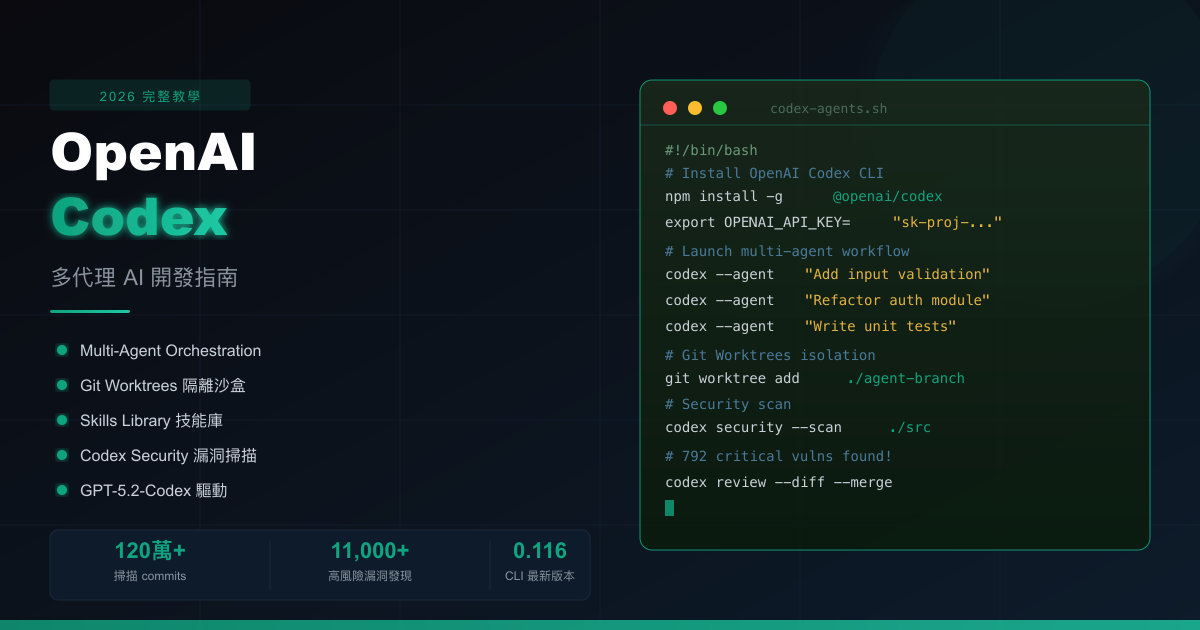
The paradigm of AI-assisted development is undergoing a fundamental shift in 2026. In the past, developers used AI tools by opening a chat window, typing a question, getting a code snippet, and manually copying it. This workflow improved efficiency, but was still essentially a linear “question and answer” model — the AI played the role of an on-demand assistant rather than a collaborative partner capable of taking on independent work.
The new Codex App that OpenAI officially released in February 2026 completely changes this equation. Defined by OpenAI as the “Command Center for Agents,” this macOS application is powered by the GPT-5.2-Codex and GPT-5.3-Codex models — the former was described by OpenAI as “the most advanced agentic coding model to date” when it launched in December 2025.
The core of this upgrade isn’t smarter code completion, but the full arrival of Multi-Agent Orchestration: you can simultaneously have Agent A implement a new feature, Agent B refactor an old module, and Agent C fix a bug — all three running independently in their own Git Worktree sandboxes, never interfering with each other. Then you, as the commander, review the differences and decide what to merge.
For developers still writing code in a single AI chat window, this article will give you a complete understanding of OpenAI Codex in 2026: from installation and setup, to core features, to real-world multi-agent workflow operations, and the security considerations you can’t ignore.
What Is OpenAI Codex 2026 and How Does It Change AI-Assisted Development?
OpenAI Codex was originally known as “an API that converts natural language to code,” but the 2026 version is an entirely different product. Today’s Codex is an agent-centric development platform with three main components:
- Codex CLI: Terminal interface, version 0.116.0 (released March 19, 2026), supporting macOS, Linux, and Windows
- Codex App: macOS desktop application — the visual command center for agent workflows
- IDE Extensions: Integration with VS Code, Cursor, and other major editors
Answer Capsule: The core value of Codex 2026 is upgrading developers from “writing code line by line” to “managing multiple AI agents working in parallel,” each running in an isolated Git Worktree — dramatically compressing the time needed for medium-to-large tasks.
Codex vs. Other AI Coding Tools
| Tool | Interaction Mode | Parallel Agents | Sandbox Isolation | Security Scanning |
|---|---|---|---|---|
| OpenAI Codex 2026 | Multi-agent command | ✅ Git Worktrees | ✅ System-level | ✅ Codex Security |
| GitHub Copilot | Single completion / chat | ❌ | ❌ | ❌ |
| Cursor | Single agent chat | ❌ | ❌ | ❌ |
| Claude Code | CLI agent | ❌ (single-threaded) | Partial | ❌ |
| Amazon Q Developer | Single assistant | ❌ | ❌ | Partial |
How Do I Install and Set Up OpenAI Codex?
Answer Capsule: Installing the Codex CLI requires just one npm command, and you can start using it immediately after setting your API key. macOS users can also install the desktop app for a visual interface to manage multi-agent workflows.
Method 1: CLI Installation (Cross-Platform)
Requirements: Node.js 18 or higher
# Install via npm (all platforms)
npm install -g @openai/codex

# macOS Homebrew installation
brew install --cask codex

# Verify installation
codex --version
Setting the API key:
# Add to environment variables (append to ~/.zshrc or ~/.bashrc for persistence)
export OPENAI_API_KEY="sk-proj-..."

# Or specify at runtime
OPENAI_API_KEY="sk-proj-..." codex
Method 2: macOS Desktop Application
Visit the official OpenAI Codex download page and download the .dmg file. On first launch, the app will guide you through signing in to your OpenAI account (device code login is supported, added in v0.116.0).
Installation Method Comparison
| Method | Platform | Best For | Key Feature |
|---|---|---|---|
| npm | All platforms | All developers | Lightweight, CI/CD integration |
| Homebrew | macOS | macOS developers | Easy version management |
| Desktop app | macOS | Power users | Visual multi-agent management |
| Binary download | Linux | Server environments | No Node.js required |
What Are the Core Features? Skills Library, Automations, and CLI Enhancements
Answer Capsule: The three major feature upgrades in Codex 2026 are: the Skills Library enabling agents to perform end-to-end complex tasks, Automations turning routine work into scheduled jobs, and a CLI with voice input and syntax highlighting for a greatly improved development experience.
Skills Library
Skills are packaged AI task modules — each Skill contains instructions, code templates, API configurations, and execution scripts. Invoke one by typing $ in the prompt box and selecting from the list or typing a skill name directly.
The built-in skills are organized into these categories:
| Category | Example Skill | Description |
|---|---|---|
| UI Design | Figma-to-Code | Fetch designs from Figma and convert to UI code |
| Cloud Deploy | Deploy to Cloud | Auto-deploy to Cloudflare, Vercel, Netlify |
| Image Gen | GPT Image | Generate UI mockups, product visuals, game assets |
| Document | Document Skills | Read and write PDF, Excel, Word documents |
| Project Mgmt | Linear Integration | Auto-triage bugs, track releases |
| API | OpenAI API Docs | Auto-reference latest OpenAI API docs when writing integrations |
Installing plugins:
# Open plugin manager in CLI
/plugins

# Or ask Codex in natural language
"Please install the Cloudflare deploy plugin"
Project-level plugin configuration (defined in .agents/plugins/marketplace.json):
{
  "plugins": [
    { "name": "cloudflare", "source": "openai/skills/cloudflare" },
    { "name": "figma-to-ui", "source": "openai/skills/figma" }
  ]
}
Automations
Automations let you bind repetitive tasks to cron-like schedules:
Trigger: Every day at 8:00 AM
Task: Scan GitHub Issues from the past 24 hours, categorize by priority and generate summary
Skills: Linear Integration + GitHub
Output: Sent to review queue, awaiting human approval
OpenAI uses Automations internally for: daily issue triage, CI build failure summaries, daily release briefings, and automated vulnerability scanning.
CLI v0.116.0 New Features (March 19, 2026)
- Syntax highlighting: Agent-generated code now displays with proper colors in the terminal
- Live theme switching: The
/themecommand changes the CLI appearance instantly - Voice input: Hold the spacebar to record audio, auto-converted to text as a prompt
/copy: Copy the latest response to clipboard/clearorCtrl-L: Clear the screen while preserving conversation history
How Does the Multi-Agent Workflow Function?
Answer Capsule: Codex’s multi-agent architecture gives each agent its own isolated Git Worktree to work in, eliminating conflicts. You can run multiple agents simultaneously on different tasks, then review each diff and pick the best version to merge — enabling true parallel AI development.
flowchart TD
    Dev[Developer] --> App[Codex App Command Center]
    App --> A1[Agent A<br>New Feature]
    App --> A2[Agent B<br>Refactor Module]
    App --> A3[Agent C<br>Fix Bug]
    A1 --> W1[Git Worktree 1<br>Isolated Copy]
    A2 --> W2[Git Worktree 2<br>Isolated Copy]
    A3 --> W3[Git Worktree 3<br>Isolated Copy]
    W1 --> Review[Diff View Review]
    W2 --> Review
    W3 --> Review
    Review --> Dev2[Developer Picks Best Version]
    Dev2 --> Merge[Merge to Main Branch]
Git Worktrees Isolation
Every time you create a new agent, Codex automatically:
- Clones your repository
- Creates an isolated Git Worktree
- The agent can only read and write within this isolated copy
- After the task completes, generates a diff for your review
This means Agent A modifying auth.ts does not affect Agent B modifying auth.ts simultaneously — both versions coexist, and you decide which to adopt.
Batch Task Distribution
Using the spawn_agents_on_csv feature, you can create sub-agent tasks in bulk from a CSV file:
task_list.csv
task_id, description, target_file
1, Add error handling to every API endpoint, src/api/users.ts
2, Add error handling to every API endpoint, src/api/posts.ts
3, Add error handling to every API endpoint, src/api/auth.ts
The system will automatically:
- Create one sub-agent per row
- Display overall progress and estimated completion time
- Show approval prompts when sub-agents need authorization
- Assign nicknames to each sub-agent for easy tracking
How Does Codex Security Strengthen Code Security?
Answer Capsule: Codex Security evolved from OpenAI’s internal Aardvark project. It analyzes code like a human security researcher — building threat models, reproducing vulnerabilities in a sandbox, and generating patches. In the first 30 days after its March 2026 launch it found over 11,000 high-risk vulnerabilities.
flowchart LR
    Repo[Codebase] --> CS[Codex Security Agent]
    CS --> Read[Read Code<br>Build Threat Model]
    Read --> Path[Explore Attack Paths<br>Identify Trust Boundaries]
    Path --> SB[Sandbox Environment<br>Reproduce Vulnerability]
    SB --> Valid{Vulnerability<br>Reproducible?}
    Valid -->|Yes| Patch[Generate Patch<br>With Detailed Notes]
    Valid -->|No| Skip[Dismiss False Positive<br>Reduce Alert Fatigue]
    Patch --> Dev[Developer Reviews<br>One-Click Merge]
Codex Security Results
According to CSO Online’s report, in the first 30 days after Codex Security’s official March 2026 launch:
- Scanned over 1.2 million commits
- Found 792 critical vulnerabilities
- Identified 10,561 high-risk security issues
- Achieved industry-benchmark precision (low false-positive rate)
Sandbox Permission Controls
Every agent in the Codex App runs in a strict sandbox by default — any operation outside the authorized scope requires your explicit approval:
| Operation Type | Default Behavior | Notes |
|---|---|---|
| Read/write current project directory | ✅ Auto-allowed | Standard agent work scope |
| Access other disk folders | ❌ Requires authorization | Prevents accidental access to sensitive files |
| Network connections | ❌ Requires authorization | Only whitelisted URLs allowed |
| Global package installation | ❌ Requires authorization | Prevents polluting global environment |
| Execute shell scripts | Context-dependent | High-risk commands force a popup |
When an agent attempts an operation requiring authorization, you’ll see four options:
- Never allow
- Ask each time
- Only on failure
- Always allow
How Do I Complete My First Multi-Agent Task?
Here is a complete, real-world workflow example: having three agents work in parallel to add input validation, error handling, and tests to a REST API.
Step 1: Open Codex App and Create a Project Thread
Open Codex App (macOS), click “New Project Thread,” and select your Git repository.
Step 2: Launch Multiple Parallel Agents
Enter prompts in separate threads:
# Thread 1
Use Zod to add input validation to all endpoints in src/api/users.ts

# Thread 2
Add comprehensive error handling and a unified error format to every endpoint in src/api/users.ts

# Thread 3
Write Jest unit tests for every endpoint in src/api/users.ts, covering both normal and edge cases
Step 3: Monitor Agent Progress
In the app’s left panel, you can see the real-time status of each agent (running, paused, completed). If an agent needs to install packages, an authorization prompt will appear.
Step 4: Review the Diff and Merge
After an agent completes, click the thread to enter Diff view:
- Review changes line by line
- If you spot something incomplete, click “Open in VS Code” to add it manually
- Confirm and click “Commit” to push to the main codebase
Step 5: Enable an Automation for Continuous Monitoring
Automation setup:
Trigger: Every day at 9:00 AM
Task: Scan all new or modified files under src/ for potential security issues
Skills: Codex Security + GitHub
How Do I Establish Best Practices and Avoid Common AI Agent Pitfalls?
Answer Capsule: Research shows the “trust paradox” is the biggest hazard of AI coding — developers lower their guard because of high efficiency, letting vulnerable AI-generated code enter production. The right approach is to calibrate trust to task risk level and enforce mandatory human review gates.
Trust Calibration Principles
Based on research (Trepo academic report), developers should adjust their trust in AI based on task type:
High-trust scenarios (accept AI output with a quick review):
- Boilerplate code
- Unit test generation
- Documentation writing
- Refactoring that doesn’t touch business logic
Low-trust scenarios (require deep review; treat AI like a junior engineer):
- Core algorithms
- Authentication / authorization logic
- Database queries (SQL injection risk)
- Financial transaction logic
- Any complex function over 10 lines
Mandatory Security Gates
AI changes → Run in dev environment → Unit tests (must pass)
           → SAST scan (Snyk / Semgrep)
           → Dependency license check
           → Human code review
           → Merge to main branch
Absolute Prohibitions
- Never paste production API keys into an AI agent
- Never paste database connection strings or passwords
- Never paste real user personal data as test data
- Never skip code review for AI-generated code, no matter how tight the deadline
FAQ
What’s different about OpenAI Codex in 2026 vs earlier versions?
The 2026 version upgrades Codex from a single chat assistant to a multi-agent orchestration platform powered by GPT-5.2-Codex. It supports parallel agents via Git Worktrees, adds a Skills Library, Automations scheduling, and native sandbox security — letting developers act as commanders directing a team of AI agents.
How do I install OpenAI Codex CLI?
Install via npm: npm install -g @openai/codex, or on macOS use Homebrew: brew install --cask codex. After installation, run codex --version to verify, then set the OPENAI_API_KEY environment variable to complete initialization.
What is the Codex Skills Library?
The Skills Library is a collection of reusable AI task modules that let agents perform complex work beyond code generation — such as converting Figma designs to UI code, deploying to Cloudflare or Vercel, generating images, and processing documents. Type $ in the prompt box to invoke a skill.
How does Codex multi-agent parallelism avoid code conflicts?
Codex uses Git Worktrees so each agent works in an isolated copy of your repository, never interfering with each other. After completion, you review the diff for each agent and choose the best version to merge into the main branch.
What can Codex Security do?
Codex Security is an AI-powered AppSec tool that automatically analyzes codebases, builds threat models, reproduces vulnerabilities in a sandbox, and generates patches. In the first 30 days after its March 2026 launch it scanned over 1.2 million commits and found 792 critical vulnerabilities and 10,561 high-risk security issues.
What security risks should I watch out for?
Key risks include hidden vulnerabilities in AI-generated code, accidentally sharing API keys with AI agents, and over-trusting output without human review. Always pair Codex with SAST scanning, unit test gates, and never paste production credentials.
Further Reading
- OpenAI Codex GitHub Repository — CLI source code, release notes, and community contributions
- Augment Code: Codex CLI v0.116.0 Enterprise Feature Analysis — Detailed breakdown of the latest enterprise features
- CSO Online: Codex Security Finds 11,000+ High-Risk Vulnerabilities — Full security scan results report