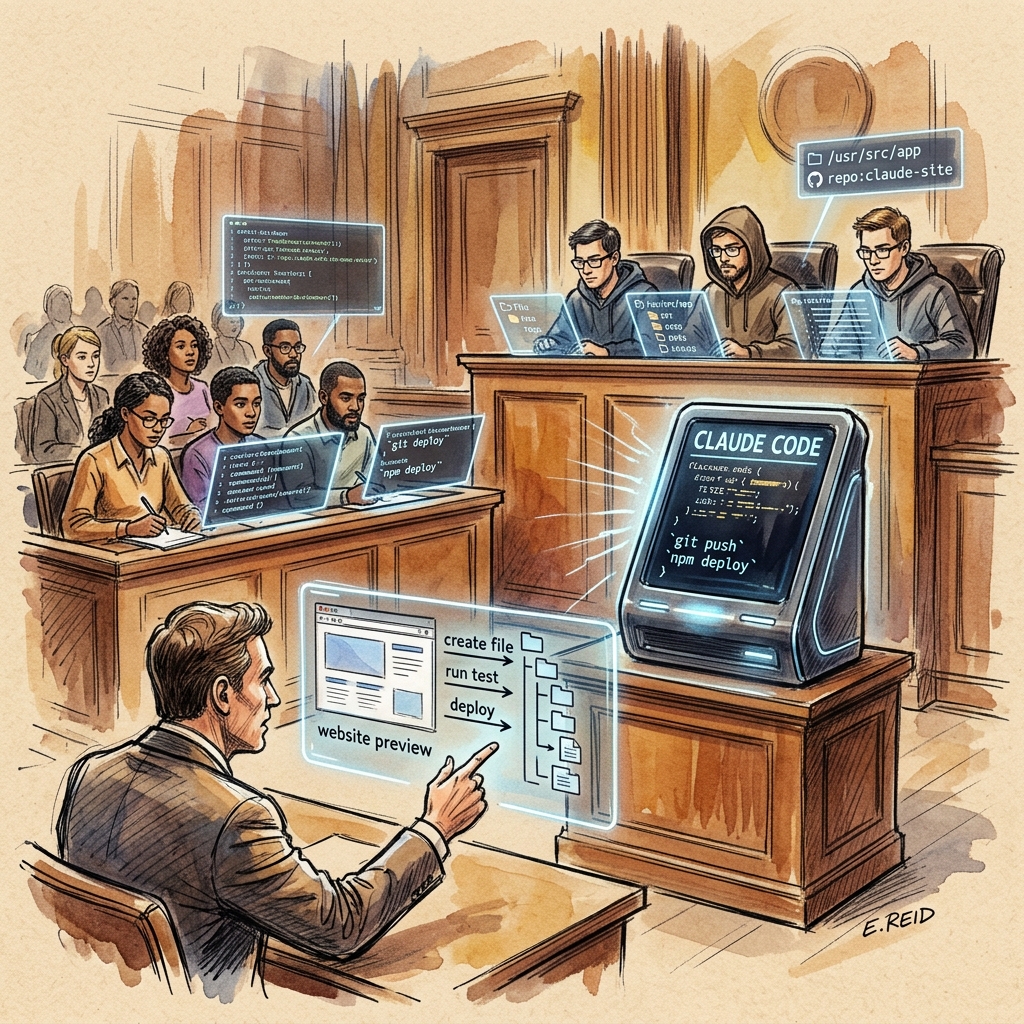
When AI stops just answering questions and starts writing code, running deployments, and self-optimizing while you sleep — that is where Claude Code genuinely changes the rules of the game.
In late 2024, Anthropic released Claude Code — a tool that is not just another coding assistant. It is a local AI agent that lives in your terminal or IDE and can autonomously read and write local files, execute bash commands, control browsers, and even dispatch sub-agents to complete complex tasks in parallel. The concept of Vibe Coding took off alongside it: you no longer copy and paste AI output. Claude Code writes the code directly into your project and deploys it.
This guide synthesizes real-world implementations and official documentation into a complete playbook — from environment setup through multi-agent orchestration — so you can unlock Claude Code’s full potential.
What Is Claude Code and Why Is It More Than “AI Chat”?
Before understanding Claude Code, you need to grasp one key concept: the agent harness.
All large language models are fundamentally “text in, text out” systems — they exist in a closed textual space and cannot take direct action in the real world. Claude Code is the harness wrapped around the Claude model, giving the AI the ability to operate a real computer:
graph TD
    A[User Instruction] --> B[Claude Code Harness]
    B --> C{Tool Selection}
    C --> D[bash terminal]
    C --> E[Read/write local files]
    C --> F[Web browsing]
    C --> G[MCP external tools]
    D --> H[Actual execution result]
    E --> H
    F --> H
    G --> H
    H --> I[Task complete / continue iteration]
The core difference: ChatGPT tells you “you should write it this way.” Claude Code writes it, saves it, and runs it for you. Developers no longer need to bounce between an AI chat window and a code editor copying and pasting. The AI has become a genuine co-pilot.
| Capability | Traditional AI Chat | Claude Code |
|---|---|---|
| Generate code | ✅ Outputs text | ✅ Writes directly to files |
| Execute commands | ❌ | ✅ bash / npm / git / etc. |
| Read local files | ❌ | ✅ Reads entire codebases |
| Deploy projects | ❌ | ✅ Automatic push and deploy |
| Connect external services | Limited | ✅ Via MCP protocol |
| Parallel multi-task | ❌ | ✅ Sub-agent system |
Installation: Three Steps to Get Started
Prerequisites
Claude Code requires an Anthropic paid plan — the free tier does not include it. Available plans include Pro, Max, Team, and Enterprise. For most individual developers, Pro is the entry point.
Option One: Global Terminal Install (Recommended)
# Mac / Linux
npm install -g @anthropic-ai/claude-code
After installation, type claude in any directory to launch. On first use, run /login to complete browser authentication.
Option Two: IDE Extension (Visual Interface)
Search for Claude Code in the VS Code or Anti-gravity extension marketplace and install the version with Anthropic’s official checkmark. The IDE version offers the same capabilities as the terminal, with a more visual interface suited to developers who prefer GUIs.
flowchart LR
    A["Install Claude Code"] --> B{"Choose Interface"}
    B --> C["Terminal Mode\nnpm install -g"]
    B --> D["IDE Extension\nVS Code / Anti-gravity"]
    C --> E["Type claude to launch"]
    D --> E
    E --> F["/login authentication"]
    F --> G["Ready to use ✅"]
Building the Project Brain: Core claude.md Design Principles
claude.md is the single most important document in the Claude Code system. At the start of every session, Claude automatically loads it before executing anything — it is the briefing document Claude reads before taking any action.
Without claude.md, every session is like hiring a contractor who has no memory of yesterday’s conversation. You spend time re-explaining project context, constraints, and dead ends before any real work happens.
Generate with /init
After launching Claude Code in a new project directory:
/init
Claude scans the entire codebase and auto-generates a structured claude.md covering the existing architecture, tech stack, and suggested rules. This is the best starting point for any new project.
claude.md Design Principles
| Principle | Description | ❌ Anti-pattern |
|---|---|---|
| Primacy effect | Most critical rule on line one | Burying important rules mid-document |
| Bullet-point rules | One rule per line, short and precise | Long explanatory paragraphs |
| Verifiability | Each rule can be objectively checked | “Be smart,” “Don’t make mistakes” |
| Length control | 200–500 lines maximum | Stuffing entire API docs inside |
| Regular pruning | Add a rule after Claude makes the same mistake 2–3 times | Writing once and never updating |
Effective rule examples:
# Project Rules (ordered by importance)

- Never use relative import paths — use absolute paths only
- All database operations must use transactions
- Never delete rows — use soft delete (deleted_at timestamp)
- CSS via Tailwind only — no inline styles
- All API routes must include input validation
Building Custom Skills: Automation Units for Repetitive Work
Skills are one of Claude Code’s most powerful features — the real engine of workflow automation. A skill packages your daily repetitive knowledge work into an executable checklist-plus-script combination that can be invoked at any time.
Skills Directory Structure
.claude/
└── skills/
    └── my-skill-name/
        ├── SKILL.md          # Trigger conditions + execution steps
        └── scripts/
            ├── main.py       # Main logic script
            └── helpers.sh    # Helper shell scripts
Progressive Disclosure Design
Skills use a three-layer loading mechanism that dramatically reduces token consumption:
graph LR
    A[Layer 1: YAML Header\nAlways loaded\n~60 tokens] --> B[Layer 2: SKILL.md body\nLoaded on trigger\nFull execution steps]
    B --> C[Layer 3: External scripts\nOn-demand navigation\nPython / Bash]
SKILL.md example structure:
---
name: scrape-leads
description: |
  Use when the user needs to collect a prospect list.
  Trigger phrases: scrape leads, find prospects, collect contacts
---
## Execution Steps

1. Read .claude/skills/scrape-leads/scripts/scraper.py
2. Confirm target URL and filtering criteria
3. Run script and output to output/leads-{date}.csv
4. Update leads-log.md with this scraping session record
Skills vs. MCP tools — a dramatically different cost model:
| Item | MCP Tools | Skills |
|---|---|---|
| Loading | Fully loaded every session | Only loaded when triggered |
| Token cost | 20 tools ≈ 10–20k tokens/session | 50 skills ≈ under 5,000 tokens |
| Billing | Charged regardless of use | Charged only when actually used |
MCP Integration: Connecting Claude to the External World
MCP (Model Context Protocol) is the universal interface that connects Claude Code to real-world applications. By installing MCP servers, Claude can directly control virtually any mainstream software.
Top MCP Recommendations
| MCP Server | Function | Use Case |
|---|---|---|
| Chrome DevTools MCP | Control Chrome browser | Screenshot testing, scraping, form automation |
| GitHub MCP | GitHub API access | Create issues, PRs, manage repos |
| Notion MCP | Read/write Notion databases | Task management, content publishing |
| Slack MCP | Send messages | Notification and report automation |
| Google Drive MCP | Access Drive documents | Document analysis, data processing |
| NotebookLM MCP | Query knowledge bases | RAG systems, document search |
Chrome DevTools MCP in Practice
With the Chrome DevTools MCP installed, you can instruct Claude:
Book a 30-minute meeting on Calendly for March 30 at 3pm.
Name: Wei-Chih, Email: test@example.com
Claude will open Chrome, navigate to Calendly, fill out the form, and complete the booking — autonomously executing in the background what previously required a minute of manual work.
# Install NotebookLM MCP (zero-cost knowledge base system)
claude mcp add notebooklm npx notebooklm-mcp@latest
Four Permission Modes and Context Management
Permission Mode Toggle (Shift + Tab)
stateDiagram-v2
    [*] --> AskBeforeEdits: Default Mode
    AskBeforeEdits --> EditAutomatically: Trust Claude to auto-execute
    EditAutomatically --> PlanMode: Architecture planning needed
    PlanMode --> BypassPermissions: Batch repetitive tasks
BypassPermissions --> AskBeforeEdits: Return to careful mode| Mode | Description | Best Used When |
|---|---|---|
| Ask Before Edits | Confirms every modification | Daily development, maintaining control |
| Edit Automatically | Auto-executes all operations | Small trusted changes |
| Plan Mode | Read-only exploration — no code modified | Before designing complex features |
| Bypass Permissions | Executes without confirmation | Familiar batch repetitive tasks |
Plan Mode is the cost-saving secret: in this mode, Claude only reads, searches, and reasons, producing an architectural blueprint without touching any files. Building wrong costs 10x more than planning right first.
Three Essential Context Commands
/cost      # Check current session token spend (check every 15 minutes)
/clear     # Clear conversation when switching tasks (most underrated command)
/compact   # Compress lengthy conversation into high-density summary
Managing context space: Think of the Context Window as a room. System tools are fixed furniture, claude.md is the bookshelf you bring in, MCP tools are additional equipment, and conversation is people entering the room. When the room fills up, auto-compaction kicks in. Your job is to keep the room as spacious as possible.
Five Core Application Scenarios
1. Full-Stack Rapid Development (Vibe Coding)
Claude Code can spin up a full-stack application with authentication, Supabase database, and Stripe payments in minutes. A typical Vibe Coding flow:
sequenceDiagram
    participant U as Developer
    participant C as Claude Code
    participant F as File System
    participant G as GitHub

    U->>C: "Build a proposal generator with login and PDF export"
    C->>C: Plan Mode — design architecture
    C->>U: Present architectural blueprint
    U->>C: Confirm blueprint
    C->>F: Create frontend / backend / database schema
    C->>C: Auto-test functionality
    C->>G: git add & commit & push
    C->>U: "Done, deployed to Netlify"
Screenshot loop technique: Give Claude a screenshot of a site you like. Have it repeatedly screenshot its own output, compare against the reference, and auto-correct discrepancies until it reaches 95%+ visual similarity.
2. Marketing Automation Workflows
Claude Code can take over the entire content production pipeline. With the right Skills combination, a single YouTube video link can automatically produce:
- LinkedIn post (adapted to platform-native voice)
- Newsletter draft (consistent brand tone)
- Twitter/X thread (distilled key insights)
- Nano Banana brand graphics (visuals matching brand colors)
3. Multi-Agent Parallel Collaboration
When task scope is large, Claude acts as the Orchestrator, distributing work to multiple sub-agents in parallel for dramatically faster throughput:
graph TD
    O[Orchestrator Agent] --> A[Code Review Agents x10\nFinding bugs]
    O --> B[Test Agents x5\nRunning test suites]
    O --> C[Research Agents x3\nChecking API docs]
    A --> R[Aggregate Report]
    B --> R
    C --> R
    R --> O
Three core sub-agents:
- Code Reviewer: Auto-reviews all pull requests, identifies potential issues
- Researcher: Reviews technical documentation and API specifications
- QA Agent: Runs test suites to verify functionality
The real power of sub-agents is parallelization: without sub-agents, Claude must sequentially code → review → test → fix. With sub-agents, review and testing launch simultaneously the moment coding completes.
4. AutoResearch Self-Improvement System
Combined with Andrej Karpathy’s open-source AutoResearch framework, Claude Code gains the ability to self-optimize:
graph LR
    A[Define scoring metric\ne.g. cold email reply rate] --> B[AI runs A/B tests]
    B --> C[Auto-score results]
    C --> D{Improvement?}
    D --> |Yes| E[Keep changes]
    D --> |No| F[Discard and try new direction]
    E --> B
    F --> B
    B --> |Overnight computation| G[Optimized Skills / code]
Real example: a developer set page load speed as the scoring metric. After 67 test iterations, AutoResearch reduced page load time from 1,100ms to 67ms — an 81.3% improvement with zero human intervention.
5. Daily Productivity and Zero-Cost Knowledge Base (RAG)
Personal legal assistant: Claude Code reads an entire contract PDF in 60 seconds, identifies high-risk clauses (like hidden IP ownership provisions), and auto-generates a counter-proposal.
NotebookLM RAG System: Upload large technical documentation (like 99,000 lines of N8N docs) to Google NotebookLM, then connect Claude Code via MCP to query the full documentation directly from the terminal. Completely free — the heavy RAG computation runs on Google’s infrastructure.
Dispatch remote control: Anthropic’s Dispatch feature lets you send text messages from the Claude mobile app on your phone to trigger Claude Code running on your desktop at home or office — even while you’re at the gym or commuting.
Advanced Techniques
Git Worktrees for Parallel Development
Use Git Worktrees to let multiple Claude Code instances work simultaneously on different feature branches without interfering with each other:
git worktree add ../feature-a feature-a
git worktree add ../feature-b feature-b

# Launch Claude Code in each directory separately
Progressive Compaction Strategy
During long sessions, use /compact with specific instructions about what to preserve:
/compact Please retain: 1) All completed feature list 2) Pending bug list 3) Current architecture decisions
Score-Driven Prompt Optimization
Define objective scoring metrics for Skills (like output accuracy or execution speed), let the AutoResearch framework iterate and optimize SKILL.md prompts automatically — wake up to smarter Skills the next morning.
FAQ
Is Claude Code suitable for non-engineers? Absolutely. One of Claude Code’s core values is enabling non-engineers to describe what they need in natural language and receive actual working output — from copywriting to data analysis.
Is Claude Code expensive? How do I keep costs down?
Costs depend on usage. Use /cost to monitor spending, /clear when switching tasks, Plan Mode to avoid redundant rebuilds, and Skills instead of some MCP tools (the former is far more token-efficient). Claude Pro is a fixed monthly rate suitable for individual users.
Are sub-agents actually practical? Any risks? Sub-agents shine on complex tasks (large codebase refactoring, parallel multi-document generation), but add coordination overhead for simple tasks. Start with a single agent, understand its capability limits, then consider sub-agents.
What goes in claude.md for maximum effectiveness? Three types of rules deliver the most value: (1) non-negotiable technical constraints (e.g., banned packages, mandatory soft deletes); (2) project-specific paths and conventions; (3) mistakes Claude has already made 2–3 times. Avoid vague rules or long explanatory paragraphs.
Conclusion
Claude Code represents a fundamental shift: AI is no longer a supporting tool but a genuine engineering partner. From the five-minute setup, to the project brain in claude.md, to the repeatable automation of the Skills ecosystem, MCP protocol integrations, multi-agent collaboration, and AutoResearch self-improvement — each layer expands the boundary of what AI can do autonomously.
Three steps to start today:
- Install Claude Code (
npm install -g @anthropic-ai/claude-code) - Run
/initin your project directory to generate claude.md - Encapsulate one repetitive task into your first Skill
The AI agent era has arrived. Claude Code is the most practical, workflow-native entry point available right now.
References
- Claude Code Official Documentation — Anthropic
- AutoResearch by Andrej Karpathy — GitHub
- NotebookLM MCP Integration Guide — GitHub Community
- Claude Code Dispatch Feature Overview — Anthropic Blog
- V-JEPA 2 Robot Planning Paper — Meta AI Research